728x90
반응형
요즘 인공지능 챗봇 챗GPT ChatGPT가 대세라고 해서 사용해보고 싶어서 요즘 배우고 있는 Node.js에 대해서 물어봤다.
제일 먼저 Node.js가 무엇인지 물어봤다.

Node.js is a free and open-source server-side runtime environment that allows developers to run JavaScript on the server-side.
It is built on top of the Chrome V8 JavaScript engine, which provides fast and efficient execution of JavaScript code.
Node.js is event-driven and uses an asynchronous, non-blocking I/O model, which makes it ideal for building scalable and high-performance network applications.

Node.js is commonly used for building server-side applications, web services, and APIs, as well as real-time applications such as chat apps and online gaming platforms.
It also has a large and active community of developers, which has created a vast ecosystem of third-party modules and libraries that can be easily integrated into Node.js applications.

Overall, Node.js is a powerful and flexible platform for building a wide range of server-side applications, and it has become increasingly popular among developers in recent years.
Node.js는 개발자가 서버 측에서 JavaScript를 실행할 수 있는 무료 오픈 소스 서버 측 런타임 환경입니다.
Chrome V8 JavaScript 엔진 위에 구축되어 JavaScript 코드를 빠르고 효율적으로 실행할 수 있습니다.
Node.js는 이벤트 기반이며 비동기 비차단 I/O 모델을 사용하므로 확장 가능한 고성능 네트워크 애플리케이션을 구축하는 데 이상적입니다.
Node.js는 일반적으로 서버 측 애플리케이션, 웹 서비스 및 API는 물론 채팅 앱 및 온라인 게임 플랫폼과 같은 실시간 애플리케이션을 구축하는 데 사용됩니다. 또한 Node.js 애플리케이션에 쉽게 통합할 수 있는 타사 모듈 및 라이브러리의 방대한 생태계를 만든 대규모의 활동적인 개발자 커뮤니티가 있습니다.
전반적으로 Node.js는 광범위한 서버 측 애플리케이션을 구축하기 위한 강력하고 유연한 플랫폼이며 최근 몇 년 동안 개발자들 사이에서 점점 인기를 얻고 있습니다.
그 다음으로는 Node.js를 사용하여 website를 만드는 방법에 대해서 물어봤는데 진짜 대답이 미쳤다.
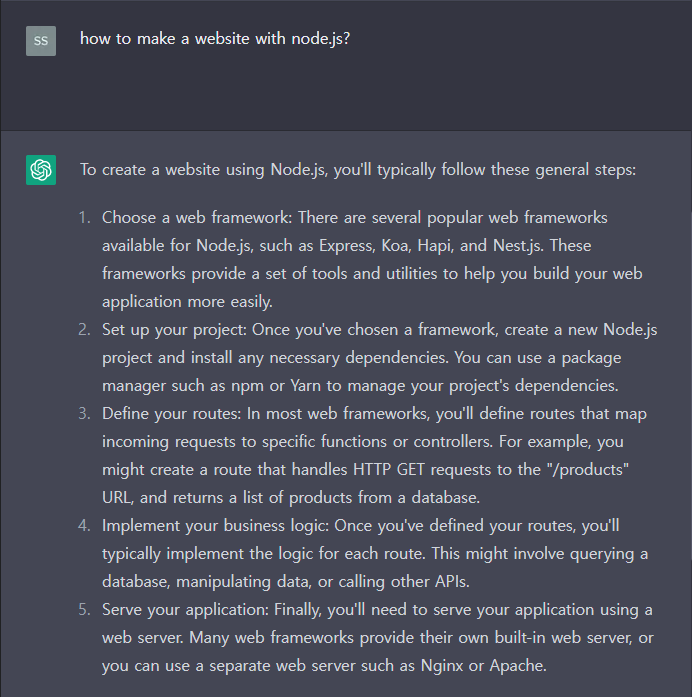

To create a website using Node.js, you'll typically follow these general steps:
1. Choose a web framework:
   There are several popular web frameworks available for Node.js, such as Express, Koa, Hapi, and Nest.js.
   These frameworks provide a set of tools and utilities to help you build your web application more easily.

2. Set up your project:
   Once you've chosen a framework, create a new Node.js project and install any necessary dependencies.
   You can use a package manager such as npm or Yarn to manage your project's dependencies.

3. Define your routes:
   In most web frameworks, you'll define routes that map incoming requests to specific functions or controllers.
   For example, you might create a route that handles HTTP GET requests to the "/products" URL, and returns a list of products from a database.

4. Implement your business logic:
   Once you've defined your routes, you'll typically implement the logic for each route.
   This might involve querying a database, manipulating data, or calling other APIs.

5. Serve your application:
   Finally, you'll need to serve your application using a web server.
   Many web frameworks provide their own built-in web server, or you can use a separate web server such as Nginx or Apache.

Here's an example of how to create a basic web server using the Express framework:
// Import the Express framework
const express = require('express')

// Create a new Express app
const app = express()

// Define a route for the home page
app.get('/', (req, res) => {
  res.send('Hello, world!')
})

// Start the server on port 3000
app.listen(3000, () => {
  console.log('Server started on port 3000')
})
이렇게 예시 코드까지 알려준다. 진짜 대박이다.
In this example, we're creating a new Express app and defining a single route for the home page.
When the user visits the home page, the server will respond with the text "Hello, world!". Finally, we start the server on port 3000 and log a message to the console.

This is just a simple example, but you can use Node.js and a web framework to build much more complex web applications.
728x90
반응형
'공부하면서 > ChatGPT' 카테고리의 다른 글
| [ChatGPT] 챗GPT 확장프로그램 설치하기 (2) | 2023.03.11 |
|---|